Peace of mind for product expiry dates
Scan products, capture expiry dates and lot or batch numbers with AI, and receive smart alerts. If a product is not in the database, take a photo and let the SimSim app fill in its details, or enter them manually.
Barcode Scanning
Scan a barcode to identify products using a database of more than 500 million local and international product records.
Read Expiry Dates and Batch Numbers with AI
Take a photo of the text printed on the package. The SimSim app automatically extracts the expiry date and batch number.
Automatic Product Entry with AI
Take a photo of the product, and the SimSim app automatically fills in its name and details to speed up data entry.
Add Your Team to the App
Give team members access to add, edit, and manage products. Staff can add items to inventory for you, and edit or remove items to keep everything up to date.
Bluetooth Scanner Support
Connect a barcode scanner via Bluetooth or USB, or use your phone’s camera. It is ideal for adding large deliveries quickly.
Smart Expiry Alerts
Get alerts before products expire, giving your team time to act.
Organize Products Easily
Keep quantity, category, storage location, and expiry date in one clear view. Group items into folders and move multiple items at once.
See Priorities at a Glance
See expired and soon-to-expire products together, so you know what needs attention first.
Shared Inventory Across Devices
Keep your team working from the same up-to-date inventory on supported Android phones and tablets, iPhone and iPad.
Fast Search and Filters
Find products quickly by name, lot number, category, storage location, or expiry status.
Easy Import and Export
Import or export your product list as Excel or CSV files whenever you need to.
Multiple Languages
Use the SimSim app in English, Arabic, Spanish, French, Portuguese, or Indonesian. More languages are coming soon.
See It in Action
Clean, simple screens for tracking product expiry dates.
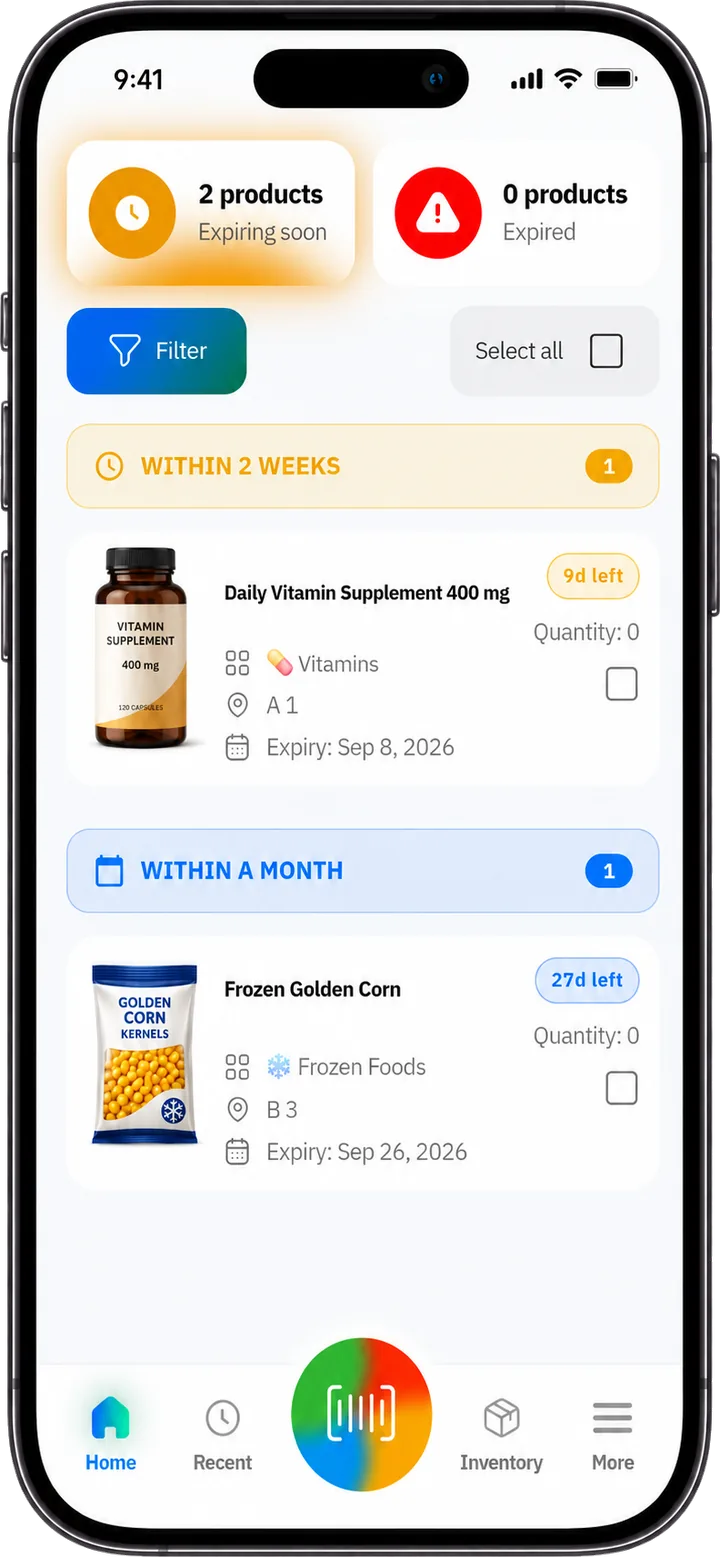
See what expires next
See expired products and products nearing expiry, grouped by urgency. Use the earliest expiry dates to decide which stock to use or sell first (FEFO).
Set reminders before products expire
Choose when to receive alerts so your team has time to act before products expire.

Keep every category organized
Browse inventory by category and storage location across devices, with dark and light modes and support for multiple languages.

Manage every branch from your computer
Managers see expiring products, reports, the team and every branch on one dashboard in the browser, always in sync with the app.

Available on Android and iOS
Download SimSim now from Google Play or the App Store.

